
Trading Costs tab
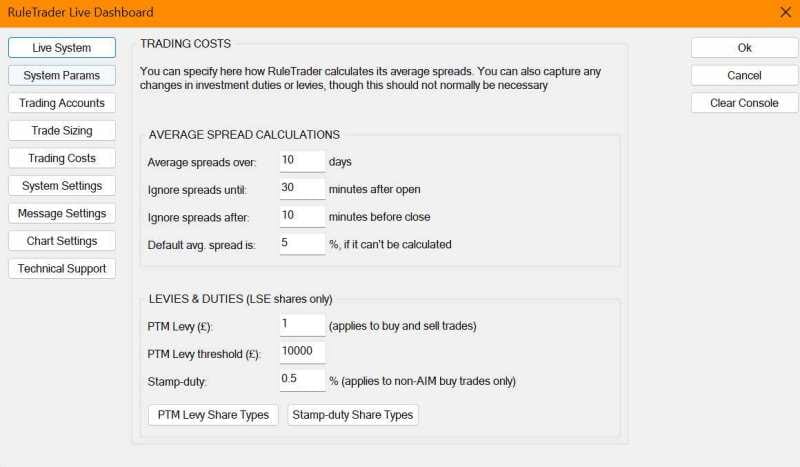
Use the Trading Costs tab to specify the ancillary trade costs (other than broker charges, which are set with the Creating/Editing An Account’s Details dialog) that you may incur when you make a trade.
Average Spread Calculations: The average spread can be displayed for a share in the Status Panel on the Historical Chart, and is always shown in the Trade Entry dialog. It is a useful reference when you’re about to make a trade, to check that the spread you’re being quoted is reasonable.
Average spreads are calculated for a share by weighting each bid-offer spread by the time that spread is available, to produce a time-weighted average spread for the day. Each day’s average spread is then averaged over the period specified here.
As spreads are often significantly higher at the beginning and end of the trading day, these settings allow you to ignore the spreads quoted just after market open and just before market close. Not all shares have bid-offer data available, so the final setting in this group is the default average spread that is shown in these instances.
Levies & Duties: These settings concern the calculation of Stamp Duty and the PTM Levy. These should not normally need altering, as we maintain them for you.
