
ShareScript Console
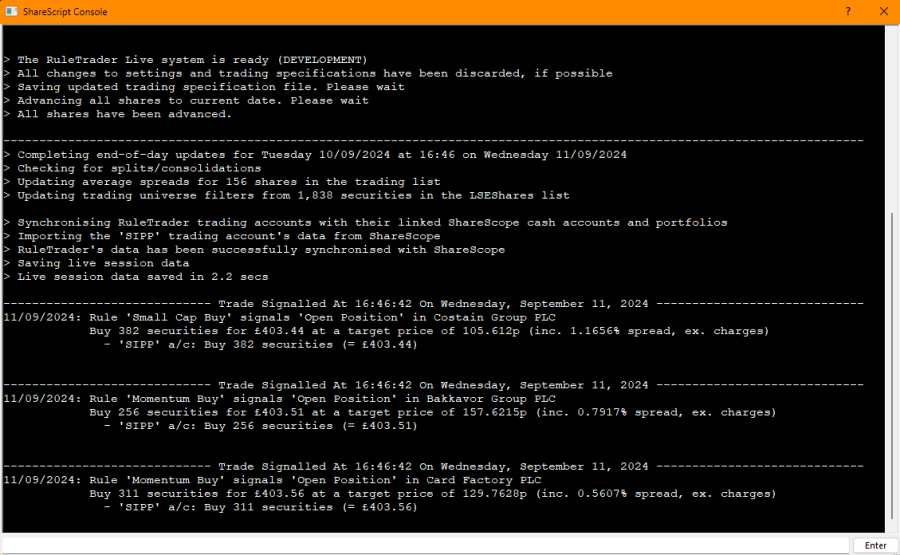
The ‘ShareScript Console’ is a floating ShareScope window that is used extensively by RuleTrader to display textual information about your Trading System. This includes data about what trading rules have been triggered in live sessions, the progress of back-tests, and the output of RuleTrader’s account and trading performance reports. The console will be automatically displayed as soon as RuleTrader outputs any data.
It can also be shown or hidden by checking ShareScope’s View > ShareScript Console menu option. To control what is displayed in the console, use the Message Settings tab on the RuleTrader Test Dashboard or the RuleTrader Live Dashboard.
At the bottom of the Console is a text entry field. Normally you would not need to use this to operate RuleTrader. Occasionally, however, RuleTrader Technical Support may ask you to enter commands into this field in order to address any issues you may be having.
